@docslurp/sdk
TypeScript client for document ingestion, run progress and cited search, with embeddable React and Web Component surfaces at @docslurp/sdk/embed.
npm install @docslurp/sdkNext: SDK quickstart
On this page
@docslurp/sdk
Package docs · GitHub · npm
Version: These examples target
@docslurp/sdk0.3.0 or newer, including URL uploads throughupload, batchsearch({ queries }), workspace discovery and upload-session methods. Upgrade the SDK separately when updating a self-hosted API.
The SDK covers DocSlurp’s three jobs from Node.js: upload documents and follow their extraction, search them for passages that cite their document and page, and ask the workspace chat endpoint for a cited answer. You keep your own application and LLM: use the results as evidence for your model, or let DocSlurp write the answer. The SDK has no runtime npm dependencies and ships TypeScript declarations.
Start with the quickstart. Then see live progress, the method reference, response examples (including workspace state and organizations), and failure handling. Prefer the terminal? Use the CLI.
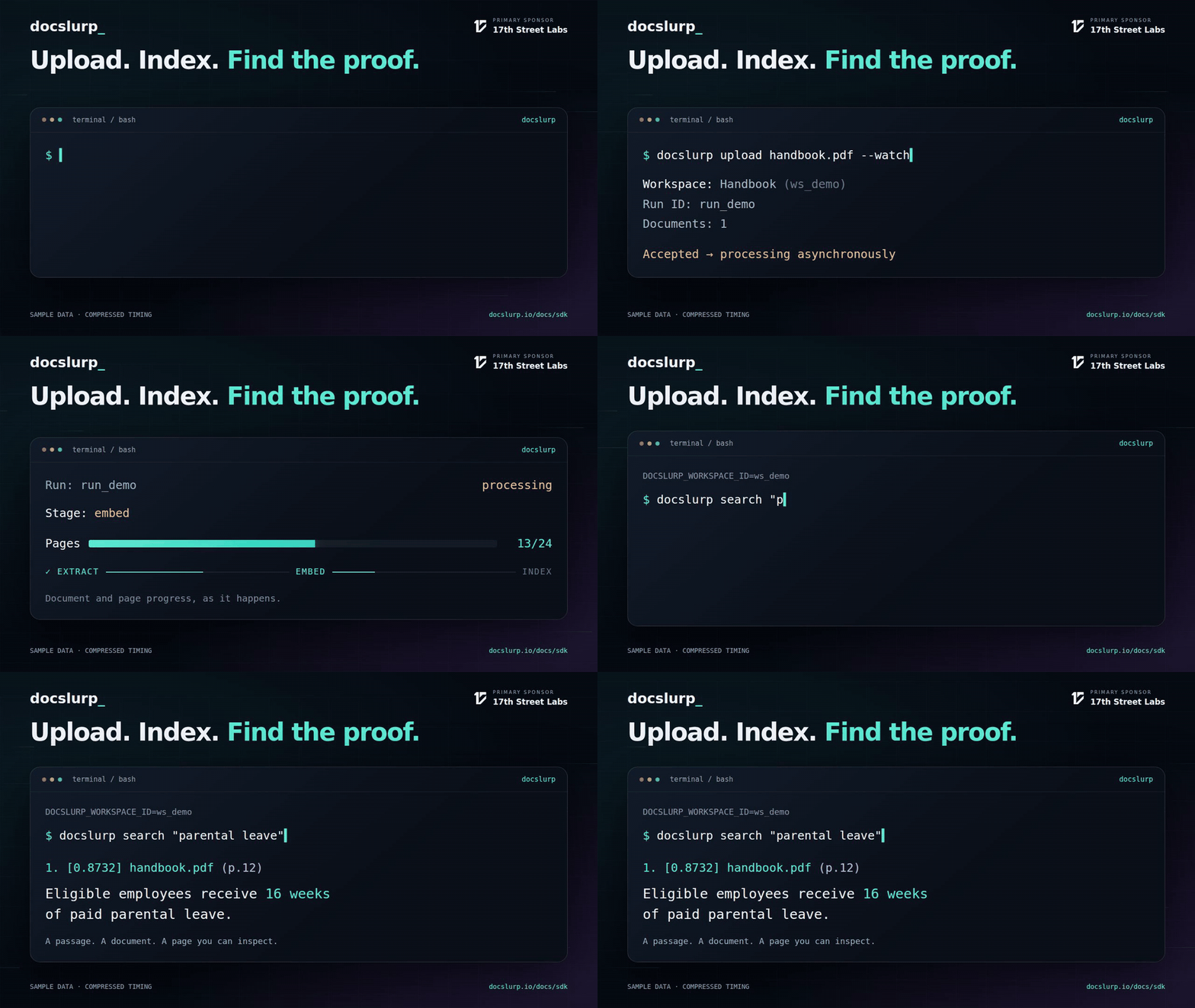
A five-second illustration with sample data and compressed timing. Watch the 20-second walkthrough.
Versions: progress, workspace state, organizations, streamActivity, canonical IDs and the integration exports need v0.2.0 or newer; v0.1.x has only upload, search, chat, raw streaming and wait methods. buildDocumentPreviewPages and the browser key check (assertBrowserSafeApiKey, apiKeyKind, UnsafeApiKeyError) are not in the published 0.2.0. @docslurp/sdk/embed (formerly @docslurp/embed-sdk) and the @docslurp/contrib-search-compat package arrive with these in 0.3.0, which is not published yet.
From file to search results
You need Node.js 20+ and ESM (.mjs files, or "type": "module"); TypeScript works the same way. Create a server key with the ingest and search scopes.
npm install @docslurp/sdk@^0.3.0
export DOCSLURP_API_KEY='your-server-key'
Save as search.mjs, put handbook.pdf next to it, and run node search.mjs:
import { createReadStream } from "node:fs";
import { createDocSlurpClient } from "@docslurp/sdk";

const client = createDocSlurpClient(); // Reads DOCSLURP_API_KEY.
const { workspace, run, warnings } = await client.upload(
  createReadStream("handbook.pdf"),
);

// Save these IDs so a restarted process can check the same run instead of uploading again.
console.log({ workspace: workspace.slug, runId: run.id });
for (const warning of warnings ?? []) console.error(warning);
await client.waitForRun(run.id, { timeoutMs: 600_000 });

for await (const hit of client.search({
  q: "What is the parental leave policy?",
  limit: 5,
})) {
  console.log(hit.text);
  console.log(hit.citation.filename, hit.citation.pageNumbers);
}
Processing happens after upload() returns. upload() returns the workspace, run and document records before indexing finishes. waitForRun() waits for that one run, while a search’s availability describes the whole workspace, which may still have other uploads in progress. No results from a partly indexed workspace doesn’t mean the answer isn’t there.
With no workspace configured, uploads, search and chat all use your organization’s default workspace ("default", exported as DEFAULT_WORKSPACE_ID), so most integrations never need a workspace ID. To keep documents separate, pass a workspace slug such as workspaceId: "legal-contracts" (or set DOCSLURP_WORKSPACE_ID). To upload into a new workspace that titles itself from its content, pass newWorkspace: true; pass workspaceName or templateKey (without workspaceId) to create a named or templated one. UUIDs and former slugs also work; see Workspaces.
Re-index a page without duplicates
Give each source a canonicalId: a URL, a site path such as /products, or any key you control. Uploading again with the same canonicalId replaces the previous version:
- The old version keeps answering searches while the new one processes, so search never has a gap.
- When the new version finishes, the switch happens in one database transaction. Search results and workspace document and page counts never include both.
- About a minute later, the old version’s chunks, page images, vectors and other derived data are deleted. Its version-history entry and original upload are kept.
URL ingestion uses each URL as its canonical ID unless you set one.
await client.upload([{ data: productsMdx, filename: "products.mdx", canonicalId: "/products" }]);
await client.upload({ urls: [{ url: "https://example.com/products.mdx", canonicalId: "/products" }] });
To react when a replacement goes live, for example to refresh a cache, listen for document.replaced:
for await (const event of client.streamActivity({ types: ["document.replaced"] })) {
  console.log(event.progress.canonicalId, "now served by", event.documentId);
}
streamActivity() is a server-sent event stream that ends after timeoutMs (default one hour), so reconnect to keep listening. Its workspaceId filter matches the workspace UUID, not a slug. Where long-lived connections aren’t practical, subscribe a webhook to document.replaced instead.
Download the runnable quickstart. The npm package also includes the examples/ directory.
Integration recipes
client.search() returns a value you can iterate or await. Use for await (const hit of client.search(input)) for the hits, or await client.search(input) for the full response. If you keep the returned value, you can do both with one request. Iteration starts once the whole JSON response arrives; results aren’t streamed or paginated. Cancellation and timeouts apply as usual.
Inspect retrieval usage
const search = client.search({
  q: "How are urgent incidents escalated?",
});
for await (const hit of search) {
  console.log(hit.text, hit.citation);
}
const { usage } = await search; // Reuses the same request.
console.log(usage.totalTokens, usage.costCents);
usage has input, output and total tokens, and cost in fractional US cents. costSource is provider, estimate, mixed, unknown or none (no AI calls recorded). The cost covers AI used for retrieval only: not ingestion, storage, your own model, or your bill. Each batch result has its own usage. For chat, usage covers writing the answer.
Bring evidence to your existing LLM
search() retrieves passages; it doesn’t write an answer. Format them for any model with formatSearchContext, or keep the structured results for your own citation UI.
import { createDocSlurpClient, formatSearchContext } from "@docslurp/sdk";

// Searches your organization's default workspace unless DOCSLURP_WORKSPACE_ID is set.
const client = createDocSlurpClient();
const evidence = await client.search({ q: "How are urgent incidents escalated?" });
if (evidence.availability?.status !== "complete") {
  throw new Error("Wait for the workspace to finish indexing before answering.");
}
if (!evidence.results.length) throw new Error("No supporting evidence found.");

const context = formatSearchContext(evidence);
console.log(context); // "[1] <filename> · pages <n> · document <id>", then the passage.
Keep evidence.results to map [1] back to the first citation, and evidence.sessionId for diagnostics. Tell your model to cite the numbered passages, to say when the evidence isn’t enough, and to treat source text as untrusted data. See the runnable context example.
Ask a grounded question, then follow up
const first = await client.chat({
  q: "What does the handbook say about parental leave?",
});
console.log(first.answer, first.citations, first.availability);
console.log(first.usage, first.runtime);

const followup = await client.chat({
  sessionId: first.sessionId,
  q: "Which exceptions apply?",
});
console.log(followup.answer);
This continues the quickstart. Send follow-ups in a session one at a time, and omit sessionId to start a new chat. chat() returns a promise with the whole answer; to stream the answer as it’s written, use the OpenAI-compatible chat API.
Upload several files without reading them all into RAM
import { openAsBlob } from "node:fs";

const files = await Promise.all(["handbook.pdf", "benefits.pdf"].map(async (filename) => ({
  data: await openAsBlob(filename),
  filename,
})));
const accepted = await client.upload({
  files,
  workspaceId: "legal-contracts", // Optional; omit to use the default workspace.
  // One key per upload job. Reuse it only to retry the same files, so a retry can't upload twice.
  idempotencyKey: "handbook-import-2026-10-v1",
});
await client.waitForRun(accepted.run.id);
A createReadStream() upload streams with backpressure and is sent once, so it can’t be retried. File-backed blobs from openAsBlob() can be re-sent, which is what lets an idempotencyKey upload retry; keep the files unchanged until the upload finishes. For an unnamed Blob or a generic async iterable, pass { filename: "handbook.pdf" } as the second argument.
Ingest public URLs
const accepted = await client.upload({
  urls: ["https://your-public-host.example/handbook.pdf"], // Replace with your URL.
});
await client.waitForRun(accepted.run.id);
DocSlurp must be able to reach the URLs. URL ingestion is retried only when you supply an idempotencyKey. Use the same upload() method for local files or public URLs.
Search several questions in one request
const batch = await client.search({ queries: [
  { q: "leave eligibility" },
  { workspaceId: "legal-contracts", q: "notice requirements", filenameContains: "handbook" },
], concurrency: 2 }, { signal: AbortSignal.timeout(30_000) });

for (const [index, result] of batch.results.entries()) {
  if (result.ok) console.log(index, result.data.results, result.data.availability);
  else console.error(index, result.error.status, result.error.message);
}
search({ queries }) takes 1 to 20 queries and runs 1 to 4 at a time (default 4). Results stay in input order. A successful batch can still contain failed queries, so check each ok. Every query can incur retrieval charges; batching doesn’t make them free.
Live counts and performance
for await (const snapshot of client.streamProgress(run.id, {
  timeoutMs: 600_000, idleTimeoutMs: 60_000, pollIntervalMs: 100, heartbeatMs: 6_000,
})) {
  console.log(snapshot.run.pagesProcessed, snapshot.run.pagesTotal);
  console.log(snapshot.progress?.pageRollup, snapshot.progress?.usageTotals);
  console.log(snapshot.progress?.resourceTotals);
}
const state = await client.getWorkspaceState(undefined, { recentWindowHours: 24 });
console.log(state.pages.indexed, state.pages.notIndexed, state.storage.sourceMb);
console.log(state.searches.latencyMs.p95, state.performance.pagesPerMinute);
streamProgress yields a complete typed snapshot right away and again whenever progress changes. With the default transport: "auto", it switches to polling the progress endpoint if SSE is unsupported or disconnects. Use "sse" to require streaming or "poll" to always poll.
Limit the watch with these options:
| Option | Meaning | Default |
|---|---|---|
timeoutMs |
Total time to watch, across both transports | 300_000 |
idleTimeoutMs |
Stop when no snapshot has changed for this long; heartbeats don’t count | unlimited |
pollIntervalMs |
Polling rhythm when polling (fixed, no backoff) | 1_000 |
heartbeatMs |
Longest gap between yields: re-yield the latest snapshot when nothing changed for this long, on either transport. Heartbeats don’t reset idleTimeoutMs. |
off |
- Running past
timeoutMsoridleTimeoutMsthrowsDocSlurpTimeoutErrorwith the lastrunseen. Processing on the server continues. - Authentication errors and malformed payloads throw.
- Breaking out of the loop or aborting closes the connection.
- Completed, failed, cancelled and dead-letter runs yield a final snapshot, then the loop ends. Paused runs stay observable.
- A failed run is a snapshot, not an error. For a call that resolves on success and throws on failure, use
waitForRun.
getRunProgress returns the same full snapshot without opening a stream. streamRun is the raw stream of run, stage and document events; it has no polling fallback and no replay.
getWorkspaceState needs a signed-in session or a server key with the ingest, search, artifacts or workspaces:manage scope. Without an ID, it uses the client’s workspace (the workspaceId option, then DOCSLURP_WORKSPACE_ID, then default). recentWindowHours is an integer from 1 to 720 and defaults to 24.
- Indexed pages are unique page numbers with nonblank page or chunk text in completed documents’ current runs, capped at each document’s known page count. They don’t measure vector embedding coverage.
- Documents with unknown page counts are counted separately, not guessed.
- MB means 1,000,000 bytes. Vector and artifact byte totals are unknown and reported as
null. - Text bytes add up stored page and chunk text, so text stored in both forms counts twice. It isn’t total object storage.
- Recent throughput includes queue time and reruns; page coverage describes the workspace as it is now.
- Performance measurements with no samples are
null.
Organization access and management
const organizations = await client.listOrganizations();
const details = await client.getOrganizationDetails(organizations[0].id);
console.log(details.access.capabilities, details.counts);
await client.updateOrganization(details.organization.id, { name: "Research" });
const members = await client.listOrganizationMembers(details.organization.id);
await client.inviteOrganizationMember(details.organization.id, { email: "[email protected]", role: "member" });
Organization methods work with a signed-in session or a server key that has the organizations:read or organizations:manage scope.
- A key works only for its own organization and never exceeds its user’s role. Creating an organization needs a session.
- Owners manage owner and admin roles; admins manage member and billing roles. Every member can read the member directory.
- Membership alone doesn’t give ordinary members access to every workspace. Details count only the workspaces they can access; owners and admins see all.
- Removal, role changes and
leaveOrganizationcan’t remove the last owner or change a personal organization. - Key listings return metadata, never the raw key. Revoking all organization keys also revokes the key making the request.
Search adapters and website integrations
To keep existing Algolia, Pagefind, Meilisearch or Typesense search calls, use @docslurp/contrib-search-compat, or the Meilisearch, Typesense and Pagefind adapters at @docslurp/sdk/search-adapters. For an Astro site, @docslurp/contrib-astro wraps the search box. To add a search box, mount @docslurp/sdk/astro in Astro or register @docslurp/sdk/widget in any other framework. The integration guide covers which calls are supported, WordPress setup, Next.js examples, migration tips and troubleshooting. On Integrations, each platform has a Copy prompt for an agent button that hands setup to a coding agent.
The adapters keep the supported search call shapes and return cited results. They don’t cover ingestion (use the SDK), advanced provider filters, the stock Pagefind UI loaders or full provider administration, so read the guide before you migrate. The runnable adapter example reads its configuration from environment variables and exercises all four clients.
Embeds and offline search (@docslurp/sdk/embed)
Moved here from the former @docslurp/embed-sdk package; the exports are unchanged. React (19) is an optional peer dependency, needed only for SearchEmbed, ChatEmbed and ViewerEmbed; @huggingface/transformers and @lancedb/lancedb are optional peers for offline search.
Add DocSlurp search, chat and a document viewer to your site as React components or Web Components. You can also build an offline search bundle so a static site searches without calling the API.
| Export | What it does |
|---|---|
SearchEmbed |
Search box with cited results. Calls GET /v1/search. |
ChatEmbed |
Chat over a workspace. Calls POST /v1/chat. |
ViewerEmbed |
Shows one document. Calls GET /v1/documents/:id, which needs a key with the artifacts scope. |
defineDocSlurpElements() |
Registers <docslurp-search>, <docslurp-chat> and <docslurp-viewer>. |
createOfflineSearchBundle() |
Builds a JSON bundle (and optionally a LanceDB table) for offline search. |
createOfflineSearchClient() |
Searches that bundle in the browser or in Node. |
Every component takes apiUrl (default https://docslurp.io) and clientKey. Search and chat also take workspaceId (a slug, UUID or default; default default), and the viewer takes documentId. On public pages, pass a browser key: it is search-only and works only on your allowed websites.
Offline search
Offline search runs entirely on your site:
- Query embeddings are computed locally with
@huggingface/transformers. - Browsers and static sites search a JSON bundle.
- Node and SSR sites can also search a LanceDB directory on the local filesystem.
Build a bundle
import { createOfflineSearchBundle } from "@docslurp/sdk/embed";

await createOfflineSearchBundle({
  outputPath: "./public/docslurp-search/bundle.json",
  // Optional: also write a LanceDB table for Node/SSR search.
  lancedbPath: "./public/docslurp-search/lancedb",
  lancedbTableName: "workspace_docs",
  embedding: {
    model: "Xenova/bge-m3",
    // Serve model files from your own site instead of a remote hub.
    modelBaseUrl: "./public/docslurp-models"
  },
  records: [
    {
      text: "Invoice 1001 was paid on January 4.",
      citation: {
        documentId: "doc-1",
        filename: "invoice-1001.pdf",
        pageNumber: 1,
        headingPath: ["Invoices"],
        chunkIndex: 0
      }
    }
  ]
});
Search it from React
import { SearchEmbed } from "@docslurp/sdk/embed";

<SearchEmbed
  apiUrl=""
  offline={{
    bundleUrl: "/docslurp-search/bundle.json",
    // Used only in Node/SSR, where the site can read its own filesystem.
    lancedbPath: "./public/docslurp-search/lancedb",
    lancedbTableName: "workspace_docs",
    embedding: {
      model: "Xenova/bge-m3",
      modelBaseUrl: "/docslurp-models"
    }
  }}
/>
Search it with a Web Component
Call defineDocSlurpElements() once in a client script, then use the element:
<docslurp-search
  api-url=""
  offline-bundle-url="/docslurp-search/bundle.json"
  offline-model="Xenova/bge-m3"
  offline-model-base-url="/docslurp-models"
  offline-lancedb-path="./public/docslurp-search/lancedb"
  offline-lancedb-table="workspace_docs"
></docslurp-search>
Notes
- Set
offline-model-base-url(orembedding.modelBaseUrl) to serve model files from your own site. This keeps search working with WASM and avoids downloading the model from a remote hub at runtime. - Browser-only sites search the JSON bundle.
- LanceDB paths are used only in Node/SSR, where the site can read from its filesystem.
Appearance
React components and Web Components share a compact dark style and inherit your site’s font. They include keyboard focus, disabled and reduced-motion states. While a search runs, a falling-rays indicator shows that results are on the way.
To change colors, set these CSS variables on a parent element. The widget’s own styles stay scoped to DocSlurp elements.
.my-docslurp-widget {
  --docslurp-background: #070c15;
  --docslurp-input: #0b1220;
  --docslurp-panel: rgba(255, 255, 255, 0.025);
  --docslurp-border: rgba(255, 255, 255, 0.1);
  --docslurp-text: #e2e8f0;
  --docslurp-muted: #8290a4;
  --docslurp-accent: #99f6e4;
  --docslurp-accent-text: #051511;
  --docslurp-error: #fca5a5;
}
Configuration
const client = createDocSlurpClient({
  apiKey: process.env.DOCSLURP_API_KEY,
  apiUrl: "https://docslurp.io", // Service origin. Don't add /v1.
  workspaceId: "legal-contracts", // Optional. Defaults to DOCSLURP_WORKSPACE_ID, then "default".
  timeoutMs: 30_000,
});| Setting | Where it comes from, in order |
|---|---|
| API key | apiKey, then DOCSLURP_API_KEY on the server |
| Service origin | apiUrl, then DOCSLURP_URL, then https://docslurp.io |
| Workspace | Per-call workspaceId, then the client option, then DOCSLURP_WORKSPACE_ID, then "default" (the organization’s default workspace). Accepts slugs, former slugs, UUIDs and default. |
| Request deadline | Per-call timeoutMs, then the client option, then 30 seconds |
| Run wait and stream lifetime | Per-call timeoutMs, then 5 minutes (one hour for streamActivity). The client’s request deadline doesn’t apply. |
| Polling interval | pollIntervalMs, then 1 second |
| HTTP transport | The fetch option, then the global fetch |
Environment variables are read once, when the client is created, and only on the server. An empty or blank workspaceId falls through to the next setting. For file and URL uploads, newWorkspace: true, a workspaceName or a templateKey creates a new workspace instead of using the configured one, unless you also pass a per-call workspaceId (which then wins, and the name and template are ignored).
In the browser: never put a server key in public code; call DocSlurp through your backend instead. Inside a signed-in DocSlurp dashboard session, createDocSlurpClient({ apiUrl: "" }) uses same-origin cookies. Browser clients don’t read environment variables. On the server, apiKey: "" turns off the environment key. You can pass browser File objects straight to upload(). Releases after 0.2.0 throw UnsafeApiKeyError if a dslp_priv_ server key is used in a browser.
Method reference
| Method | Returns | Key scope |
|---|---|---|
upload(fileOrStream, options?) |
{ workspace, run, documents, warnings? } |
ingest |
upload({ files, ...metadata }, options?) |
Same accepted ingestion response | ingest |
upload({ urls, ...metadata }, options?) |
Same accepted ingestion response | ingest |
listWorkspaces(options?) |
Accessible workspace records | ingest, search, artifacts or workspaces:manage |
getWorkspace(id, options?) |
Workspace record | Same as listing |
createUploadSession(input, options?) |
Session ID, status and signed transfer descriptors | ingest |
getUploadSession(id, options?) |
Session status and refreshed transfer URLs | ingest |
completeUploadFile(id, input, options?) |
Stored-file verification result | ingest |
completeUploadSession(id, options?) |
Accepted ingestion response | ingest |
abortUploadSession(id, options?) |
Cleanup confirmation | ingest |
getRun(runId, request?) |
Run record (not the progress envelope) | Any of ingest, search, artifacts |
getRunProgress(runId, request?) |
Full typed progress snapshot | Same as getRun |
streamProgress(runId, options?) |
Async iterable of full snapshots with polling fallback | Same as getRun |
getWorkspaceState(workspaceId?, options?) |
Current workspace counts, MB, searches, recent performance and usage | Server key with any of ingest, search, artifacts, workspaces:manage |
getIngestReport(workspaceId?, { runId?, documentIds? }) |
How files processed: pages, bytes and text per page, images, vision, searchable pages with reasons, settings and recommendations (no AI) | Server key with any of ingest, search, artifacts, workspaces:manage |
waitForRun(runId, options?) |
Completed run, or throws | Same as getRun |
streamRun(runId, options?) |
Async iterable of { event, id?, data } |
Same as getRun |
streamActivity(options?) |
Async iterable of account activity events, filtered by types and workspace UUID |
Same as getRun |
search(input, request?) |
Async iterable of hits; await for { results, availability, sessionId, usage } |
search |
search({ queries, concurrency? }, options?) |
{ results: [{ ok, data?, error? }] } |
search |
chat({ q, workspaceId?, sessionId? }, request?) |
Answer, citations, availability, session IDs, usage, runtime | search |
getDocument(documentId, request?) |
Typed document viewer envelope (viewer.document) |
artifacts |
listOrganizations(request?) / getOrganization(id, request?) |
Organization records | organizations:read or organizations:manage |
getOrganizationDetails(id, request?) / getOrganizationAccess(id, request?) |
Counts and capabilities / actor access | Same as organization reads |
createOrganization(input, request?) |
New organization record | Session only |
updateOrganization(id, input, request?) |
Updated details | organizations:manage |
listOrganizationMembers(id, request?) |
Member directory | Organization read scope and role policy |
inviteOrganizationMember(id, { email, role }, request?) |
{ invite, inviteUrl } |
organizations:manage |
listOrganizationInvites(id, request?) / revokeOrganizationInvite(id, inviteId, request?) |
Invites / revoked invite | Organization read or manage scope and owner/admin role |
updateOrganizationMemberRole(id, userId, role, request?) |
Membership record | organizations:manage |
removeOrganizationMember(id, userId, request?) / leaveOrganization(id, request?) |
void |
organizations:manage |
listOrganizationApiKeys(id, request?) |
Key metadata | Organization read scope and owner/admin role |
revokeOrganizationApiKeys(id, request?) |
{ keys, revokedCount } |
organizations:manage and owner/admin role |
formatSearchContext(searchResponse) |
Numbered source excerpts as a string | None (no request) |
buildDocumentPreviewPages({ documentId, artifacts, manifest }) |
Page images for a document viewer, by page number (after 0.2.0) | None (no request) |
SearchInput:q(required); optionalworkspaceId(slug, former slug, UUID ordefault),limit(1 to 100),minScore(relevance floor from 0 to 1; 0 disables it),documentId,filenameContainsandtags(a string). The response hasnoMatch: truewhen the workspace is searchable but search returns nothing (nothing cleared the floor, or nothing was retrieved at all).- Upload metadata:
workspaceId,newWorkspace,workspaceName,orgId,templateKey,idempotencyKey, andcanonicalId(in upload options for one file, or on each{ data, filename, canonicalId }entry). URL ingestion takes the same metadata exceptidempotencyKey; set canonical IDs per URL. - Template keys:
legal-contracts,medical-records,financial-reports,engineering-docs,meeting-notes. - Citations:
documentId,filename,pageNumber,pageNumbers,headingPath,chunkIndex,blockIdsandsource. Some formats have no meaningful page numbers; when the list is empty, don’t invent a page. - Locators:
citation.locatorsays exactly where the evidence is, keyed bykind:page(pageNumber,charStart/charEnd, normalizedboxes),slide(slideNumber,notes,boxes),sheet(sheetName, A1range,headerRow),media(startSeconds,endSeconds,modeofsaidorshown,speaker,timingofword,segmentorchunk) andimage(boxes). It isnullor absent for content indexed before locators existed (re-index to get them); for recordings, decks and sheets branch onkindrather thanpageNumber. TheCitationLocatortype is exported. scoreis a retrieval score, not a probability that the passage is correct.availabilityisempty,pending,partialorcomplete, ornullwhen unknown.
The SDK exports its input and response types, DocSlurpClient and all error classes. It is ESM-only; from CommonJS, use await import("@docslurp/sdk") inside an async function.
Request and response examples
All outputs below are illustrative, not measurements or IDs from a real account. Examples labeled excerpt show selected fields from a larger response. Methods return these objects directly; the organization list, member and key methods return the array from inside the HTTP response. Every network method takes an optional { signal, timeoutMs } as its last argument.
Upload and URL acceptance
const accepted = await client.upload(new Blob(["Policy text"]), { filename: "policy.txt" }); // Default workspace.
// The same upload as a file list, into the "policies" workspace:
await client.upload({ files: [{ data: new Blob(["Policy text"]), filename: "policy.txt" }], workspaceId: "policies" });
const remote = await client.upload({ urls: ["https://files.example/policy.pdf"], workspaceId: "policies" });
Both methods return the same shape. Illustrative excerpt:
{
  "workspace": {
    "id": "ws_1",
    "slug": "policies",
    "name": "Policies"
  },
  "run": {
    "id": "run_1",
    "status": "queued",
    "pagesTotal": 0,
    "pagesProcessed": 0
  },
  "documents": [
    {
      "id": "doc_1",
      "filename": "policy.txt",
      "status": "queued"
    }
  ],
  "warnings": []
}
upload also takes a single File, a { data, filename? } object, a Node byte stream, any async byte iterable, or an array of files. Metadata is optional (see the reference above); options in the second argument override metadata in the upload object. Put filename, signal and timeoutMs in the second argument. URL uploads require urls and accept workspace metadata and an optional idempotencyKey. A PDF’s page count can still be zero when the upload is accepted.
Run reads, waits and both streams
const run = await client.getRun("run_1");
const completed = await client.waitForRun("run_1", { pollIntervalMs: 1000, timeoutMs: 600_000 });
getRun returns the run as it is now; waitForRun returns it once completed. Illustrative excerpts:
{
  "id": "run_1",
  "status": "processing",
  "controlState": null,
  "totalDocuments": 2,
  "processedDocuments": 1,
  "pagesTotal": 20,
  "pagesProcessed": 7
}{
"id": "run_1",
"status": "completed",
"controlState": null,
"totalDocuments": 2,
"processedDocuments": 2,
"pagesTotal": 20,
"pagesProcessed": 20
}waitForRun throws DocSlurpRunError instead of returning a paused, cancelled, dead-letter or failed run; the error’s run holds the record. On timeout it throws DocSlurpTimeoutError, whose run holds the last record seen, and processing continues on the server.
const snapshot = await client.getRunProgress("run_1");
for await (const update of client.streamProgress("run_1", {
  transport: "auto", pollIntervalMs: 1_000, heartbeatMs: 6_000, timeoutMs: 600_000,
})) console.log(update.progress?.pageRollup);
Both return the same typed snapshot. Illustrative excerpt (the full response also has phase and stage rollups, stage states, recent events, and Temporal state when available):
{
  "run": {
    "id": "run_1",
    "status": "processing",
    "pagesTotal": 20,
    "pagesProcessed": 7
  },
  "stages": [],
  "recentEvents": [],
  "temporal": null,
  "progress": {
    "lifecycleStatus": "processing",
    "currentStage": "extract-markdown",
    "currentStageLabel": "Extract",
    "percentComplete": 35,
    "pageRollup": {
      "completed": 7,
      "total": 20,
      "byStage": {
        "extract-markdown": 7
      },
      "byDocument": {
        "doc_1": {
          "extract-markdown": 7
        }
      }
    },
    "usageTotals": {
      "inputTokens": 2500,
      "outputTokens": 700,
      "costCents": 0.15
    },
    "resourceTotals": {
      "elapsedMs": 12000,
      "cpuUserMs": 6000,
      "cpuSystemMs": 500,
      "cpuTotalMs": 6500,
      "rssDeltaBytes": 2000000,
      "peakRssBytes": 80000000
    }
  },
  "stats": {},
  "artifacts": {}
}progressis optional. Its counters cover this run and its stages, and can change once page totals are known; they don’t describe the whole workspace.percentCompleteis the pipeline’s combined progress. It isn’t necessarily pages completed divided by total.- Usage is recorded tokens and cents. CPU is in milliseconds and RSS in bytes.
- The server sends combined snapshots, so you may not see every intermediate count.
streamProgressnever yields the server’s heartbeat frames; setheartbeatMsfor your own.
In auto mode, streamProgress falls back to polling when the stream ends early, on network errors, and on statuses that suggest SSE is unsupported or temporarily unavailable (such as 405, 429, 502, 503 or 504). 401, 403 and 404 responses and malformed frames throw. In sse mode, a stream that ends early throws; poll mode never opens a stream. Falling back doesn’t reset the overall timeout.
for await (const event of client.streamRun("run_1", { timeoutMs: 600_000 })) {
  console.log(event.event, event.id, event.data);
  if (event.event === "run.completed") break;
}
Illustrative raw event excerpt:
{
  "event": "run.progress",
  "id": "evt_1",
  "data": {
    "id": "evt_1",
    "runId": "run_1",
    "type": "run.progress",
    "progress": {
      "pagesProcessed": 7
    }
  }
}
Raw streamRun can also yield snapshot and heartbeat frames, and event data varies; it doesn’t always contain run. Raw streams don’t end on their own when the run finishes, and they don’t reconnect, poll or replay. They time out after five minutes by default; break out of the loop to close them sooner. For counts and state, use streamProgress instead.
Workspace state response
// The client's workspace: the workspaceId option, then DOCSLURP_WORKSPACE_ID, then "default".
const defaultState = await client.getWorkspaceState();
// Any workspace, by slug, former slug or UUID:
const state = await client.getWorkspaceState("legal-contracts", { recentWindowHours: 24 });
Complete illustrative response:
{
  "workspaceId": "ws_1",
  "orgId": "org_1",
  "observedAt": "2026-10-06T18:00:00.000Z",
  "recentWindow": {
    "from": "2026-10-05T18:00:00.000Z",
    "to": "2026-10-06T18:00:00.000Z",
    "hours": 24
  },
  "documents": {
    "total": 3,
    "queued": 1,
    "processing": 0,
    "completed": 2,
    "failed": 0,
    "unknownPageCount": 1
  },
  "pages": {
    "total": 20,
    "indexed": 18,
    "notIndexed": 2,
    "basis": "text-searchable-unique-pages"
  },
  "storage": {
    "sourceBytes": 2500000,
    "sourceMb": 2.5,
    "textBytes": 120000,
    "textMb": 0.12,
    "documentsWithUnknownSize": 1,
    "vectorBytes": null,
    "artifactBytes": null,
    "mbDivisor": 1000000
  },
  "runs": {
    "total": 4,
    "queued": 1,
    "processing": 0,
    "completed": 2,
    "failed": 1
  },
  "searches": {
    "total": 12,
    "recentCount": 5,
    "recentZeroResultCount": 1,
    "latencyMs": {
      "sampleCount": 5,
      "p50": 85,
      "p95": 140,
      "max": 150
    }
  },
  "performance": {
    "completedRuns": 2,
    "failedRuns": 1,
    "completedPages": 20,
    "durationMs": {
      "sampleCount": 2,
      "p50": 30000,
      "p95": 39000,
      "max": 40000
    },
    "pagesPerMinute": 20,
    "minutesPer100Pages": 5,
    "basis": "run-wall-time-including-queue"
  },
  "usage": {
    "inputTokens": 9000,
    "outputTokens": 1200,
    "costCents": 0.5
  }
}- Document, page, storage and run totals, and attributed usage, describe the workspace now, across all time.
- Search
totalis all-time; therecent*counts and the latency distribution cover the selected window. - Run performance covers runs that completed or failed in the window, by their last update time. Only completed runs with a positive wall-clock duration add throughput and duration samples.
- Throughput is completed pages divided by total run wall-clock time, so reruns can count the same work twice. It isn’t total worker capacity.
minutesPer100Pages = 100 / pagesPerMinute. unknownPageCountcounts documents without a known page count; their pages are left out oftotalandnotIndexed. Blank pages and chunks without a page don’t count as indexed.- An empty workspace returns zero counts,
sampleCount: 0, andnullfor latency and throughput.
Search, batches, chat and formatting
const result = await client.search({ q: "leave notice", workspaceId: "policies", limit: 5, filenameContains: "policy", tags: "hr" });
for await (const hit of client.search({ q: "leave notice" })) console.log(hit.citation);
Illustrative full search response with one hit (every hit field shown):
{
  "sessionId": "search_1",
  "availability": {
    "status": "complete",
    "isPartial": false,
    "message": null
  },
  "usage": {
    "inputTokens": 20,
    "outputTokens": 0,
    "totalTokens": 20,
    "costCents": 0.001,
    "currency": "USD",
    "costSource": "provider",
    "scope": "retrieval"
  },
  "results": [
    {
      "score": 0.81,
      "text": "Give 30 days notice.",
      "citation": {
        "source": "document",
        "documentId": "doc_1",
        "filename": "policy.pdf",
        "pageNumber": 3,
        "pageNumbers": [
          3
        ],
        "headingPath": [
          "Leave"
        ],
        "chunkIndex": 4,
        "blockIds": []
      }
    }
  ]
}
Pass documentId to search a single document. A search with no hits still returns sessionId, usage and availability, with results: [], and iterating it yields nothing. Hits can include parentText, and availability can be null.
const batch = await client.search({ queries: [{ q: "leave notice" }, { q: "eligibility", workspaceId: "policies" }], concurrency: 2 });Illustrative excerpt. Each successful data is a full search response like the one above:
{
  "results": [
    {
      "ok": true,
      "data": {
        "sessionId": "search_1",
        "results": []
      }
    },
    {
      "ok": false,
      "error": {
        "code": "search_failed",
        "message": "Search failed",
        "status": 500
      }
    }
  ]
}const answer = await client.chat({ q: "How much notice?" });
const followup = await client.chat({ q: "Any exceptions?", sessionId: answer.sessionId });Illustrative excerpt (each entry in citations is a search hit, shaped like the ones above):
{
  "id": "turn_1",
  "sessionId": "chat_1",
  "searchSessionId": "search_2",
  "answer": "Give 30 days notice [1].",
  "finishReason": "stop",
  "citations": [],
  "availability": {
    "status": "complete",
    "isPartial": false,
    "message": null
  },
  "usage": {
    "inputTokens": 500,
    "outputTokens": 30,
    "totalTokens": 530,
    "costCents": 0.01,
    "costSource": "provider"
  },
  "runtime": {
    "startedAt": "2026-10-06T18:00:00.000Z",
    "completedAt": "2026-10-06T18:00:01.000Z",
    "totalMs": 1000
  }
}const context = formatSearchContext(result);
console.log(context);Illustrative string output:
[1] policy.pdf · pages 3 · document doc_1
Give 30 days notice.
A search with no results formats as "". The formatter makes no network request or AI call.
Document viewer
const viewer = await client.getDocument("doc_1");
console.log(viewer.document.filename, viewer.pageStats, viewer.usage.document);
To build your own citation viewer, map pages the same way the dashboard does (SDK releases after 0.2.0):
import { buildDocumentPreviewPages } from "@docslurp/sdk";

const pages = buildDocumentPreviewPages({
  documentId: viewer.document.id,
  artifacts: viewer.artifacts,
  manifest: null,
});
const citedPage = pages.find(page => page.pageNumber === citation.pageNumber);
This helper makes no requests. It keeps physical page numbers, removes duplicate images, and can take the image manifest to get render dimensions. Unknown page numbers stay null. When a page has no image, show the excerpt or the original document instead.
Illustrative excerpt of the typed viewer envelope:
{
  "document": {
    "id": "doc_1",
    "filename": "policy.pdf",
    "status": "completed"
  },
  "pageStats": {
    "pageCount": 20,
    "chunkCount": 35,
    "pageTextCount": 20
  },
  "usage": {
    "document": {
      "inputTokens": 5000,
      "outputTokens": 700,
      "costCents": 0.15,
      "events": 3
    }
  }
}
The document record is at viewer.document. The response also has tags, versions, a changelog, stage states, artifact and source links, and run diagnostics, so it isn’t a flat DocumentRecord.
Organization response examples
These examples use the illustrative IDs org_1, user_owner and user_member. Every method checks current membership, the key’s organization and scope, and the user’s role. A server key lists only its own organization; a session lists every organization the user belongs to. A read-only key reports every write capability as false, even when its user is an owner.
const organizations = await client.listOrganizations();
const organization = await client.getOrganization("org_1");
Complete illustrative organization record. listOrganizations returns an array of these, which can be empty:
{
  "id": "org_1",
  "name": "Research",
  "slug": "research",
  "isPersonal": false,
  "personalOwnerUserId": null,
  "createdByUserId": "user_owner",
  "creditBalanceCents": 2000,
  "memberRole": "owner",
  "createdAt": "2026-10-01T12:00:00.000Z",
  "updatedAt": "2026-10-06T18:00:00.000Z"
}const access = await client.getOrganizationAccess("org_1");Complete illustrative access result, for an owner in an organization with more than one owner, using a session or an organizations:manage key:
{
  "orgId": "org_1",
  "userId": "user_owner",
  "role": "owner",
  "capabilities": {
    "read": true,
    "update": true,
    "manageMembers": true,
    "manageOwners": true,
    "manageApiKeys": true,
    "leave": true
  }
}const details = await client.getOrganizationDetails("org_1");Complete illustrative details result:
{
  "organization": {
    "id": "org_1",
    "name": "Research",
    "slug": "research",
    "isPersonal": false,
    "personalOwnerUserId": null,
    "createdByUserId": "user_owner",
    "creditBalanceCents": 2000,
    "memberRole": "owner",
    "createdAt": "2026-10-01T12:00:00.000Z",
    "updatedAt": "2026-10-06T18:00:00.000Z"
  },
  "access": {
    "orgId": "org_1",
    "userId": "user_owner",
    "role": "owner",
    "capabilities": {
      "read": true,
      "update": true,
      "manageMembers": true,
      "manageOwners": true,
      "manageApiKeys": true,
      "leave": true
    }
  },
  "counts": {
    "members": 3,
    "workspaces": 2
  }
}const created = await client.createOrganization({ name: "Research", slug: "research" });
const updated = await client.updateOrganization("org_1", { name: "Research Lab", slug: null });createOrganization needs a signed-in session.
- It takes
name(trimmed, 1 to 120 characters) and an optionalslug(2 to 120 lowercase letters, digits and hyphens). - It returns an organization record like the one above, with you as the first owner, a new ID and timestamps, and
creditBalanceCents: 0. Additional organizations don’t get another starter credit.
updateOrganization needs an owner or admin.
- It takes
name,slugor both. Omitted fields stay the same, andnullclears the slug. - It returns the full details shown above; here, with
organization.name: "Research Lab",organization.slug: nulland a newupdatedAt. - A slug that’s already taken returns HTTP 409.
const members = await client.listOrganizationMembers("org_1");Complete illustrative directory result:
[
  {
    "orgId": "org_1",
    "userId": "user_member",
    "role": "member",
    "createdAt": "2026-10-06T18:00:00.000Z",
    "email": "[email protected]",
    "name": "Sam Member"
  }
]const { invite, inviteUrl } = await client.inviteOrganizationMember("org_1", { email: "[email protected]", role: "member" });
const changed = await client.updateOrganizationMemberRole("org_1", "user_member", "billing");Complete illustrative return values, respectively:
{
  "invite": {
    "id": "invite_1",
    "orgId": "org_1",
    "email": "[email protected]",
    "role": "member",
    "status": "pending",
    "invitedByUserId": "user_owner",
    "acceptedByUserId": null,
    "expiresAt": "2026-10-13T18:00:00.000Z",
    "acceptedAt": null,
    "createdAt": "2026-10-06T18:00:00.000Z"
  },
  "inviteUrl": "https://docslurp.io/app/invites/…?kind=organization"
}{
"orgId": "org_1",
"userId": "user_member",
"role": "billing",
"createdAt": "2026-10-06T18:00:00.000Z"
}- Membership starts with an email invite. The person joins by opening the link while signed in with that verified email; there is no way to add a user by ID. Roles are
owner,admin,memberandbilling. - Inviting an email that already belongs to a member returns 409; it doesn’t change their role.
- Owners manage every role. Admins invite, change and remove member and billing roles, and can’t invite or change owners or admins.
- The billing role doesn’t give access to the organization’s documents.
const removed = await client.removeOrganizationMember("org_1", "user_member");
const left = await client.leaveOrganization("org_1");
console.log(removed, left); // undefined undefined: both resolve with no value.- Any member can leave an organization that isn’t personal. An owner can leave only if another owner remains.
- Personal organization memberships can’t be changed.
- Demoting or removing the last owner returns 409, even when requests race.
- Removing or leaving revokes that user’s API keys for the organization. Workspaces shared with them directly stay shared.
const keys = await client.listOrganizationApiKeys("org_1");Complete illustrative key list. An organization with no keys returns []:
[
  {
    "id": "key_1",
    "userId": "user_owner",
    "orgId": "org_1",
    "name": "Backend",
    "keyType": "server",
    "allowedDomains": [],
    "scopes": [
      "ingest",
      "search"
    ],
    "rateLimitRpm": 60,
    "rateLimitPpd": 10000,
    "lastUsedAt": null,
    "createdAt": "2026-10-01T12:00:00.000Z",
    "revokedAt": null
  }
]
Records can also have the usage counters requestsLastMinute and pagesToday. Listing keys needs an owner or admin, and keys need an organization scope. Raw keys are never returned.
const revoked = await client.revokeOrganizationApiKeys("org_1");Complete illustrative result when there are no active keys:
{
  "keys": [],
  "revokedCount": 0
}
When keys are revoked, keys lists them in the shape above with revokedAt set, and revokedCount is how many. Revoking needs an owner or admin, and keys need organizations:manage. It also revokes the key making the request.
Organization scopes are opt-in and never part of the default ingest, search and artifacts set. To grant one, create or update a server key on the API keys page, or from a signed-in session with POST /v1/api-keys or PATCH /v1/api-keys/:id. Use scopes: ["organizations:read"] to read, or ["organizations:manage"] to read and make changes. Only owners and admins can grant organizations:manage, and browser keys can’t have organization scopes. The SDK has no methods for creating keys; see the HTTP reference.
Timeouts, cancellation, and errors
Network methods accept request options with { signal, timeoutMs }; both forms of search take these as the second argument. A timeout or abort stops your request or wait, not processing on the server. To resume, check the saved run ID instead of uploading again.
import { DocSlurpApiError, DocSlurpRunError, DocSlurpTimeoutError } from "@docslurp/sdk";

try {
  await client.waitForRun(run.id, { timeoutMs: 600_000 });
} catch (error) {
  if (error instanceof DocSlurpRunError) {
    console.error("Run failed or stopped", error.run); // Failed, paused, cancelled or dead-letter.
  } else if (error instanceof DocSlurpTimeoutError) {
    console.error("Not finished yet; check this run later", error.run?.id ?? run.id);
  } else if (error instanceof DocSlurpApiError) {
    console.error("HTTP error", error.status, error.body);
  }
  throw error; // Let the caller or job runner decide how to recover.
}| Operation | Automatic retries |
|---|---|
Every SDK read: getRun, getRunProgress, getWorkspaceState, getDocument, and organization, member and key reads |
Up to 2 retries on HTTP 429, 502, 503 or 504 |
Blob or File upload with an idempotencyKey |
Same as reads |
Stream upload, upload without an idempotencyKey, URL ingestion |
None |
| Search, batch search, chat, organization writes, raw event streams | None |
streamProgress in auto mode |
Switches to polling if the stream fails; each poll retries like a read |
Retries honor Retry-After, wait at most five seconds each, and stay within the original request deadline. Network errors aren’t retried, though streamProgress in auto mode can fall back to polling. When you abort with a signal, the SDK rejects with the signal’s reason.
Next steps
- CLI recipes and command reference
- HTTP integration and troubleshooting
- Search API and retrieval controls
- Runnable examples
Pre-release: APIs may change, so pin the version you validate in production. MIT licensed; see LICENSE.
Primary sponsor

17th Street Labs is DocSlurp’s primary sponsor.
Workspace discovery and signed uploads
listWorkspaces() returns the accessible workspace records. Pass a returned ID to getWorkspace(id) for details. Upload, search and chat use the default workspace when none is supplied. upload({ files, workspaceName: "Product manuals" }) or upload({ urls, workspaceName: "Product manuals" }) explicitly creates a named workspace.
For normal file uploads, upload() handles storage transfer and ingestion automatically. Agents that transfer bytes separately can use:
const session = await client.createUploadSession({
  workspaceName: "Product manuals",
  files: [{ filename: "manual.pdf", mimeType: "application/pdf", sizeBytes: bytes.byteLength, singlePart: true }],
});
const file = session.files[0];
const stored = await fetch(file.putUrl, { method: "PUT", headers: file.headers, body: bytes });
if (!stored.ok) throw new Error("Storage upload failed");
await client.completeUploadFile(session.sessionId, { fileId: file.id });
const accepted = await client.completeUploadSession(session.sessionId);
await client.waitForRun(accepted.run.id);
Signed URLs expire after 15 minutes. Treat them as credentials and never attach the DocSlurp API key to a storage request. getUploadSession(sessionId) refreshes pending transfer URLs. Complete every file before completing the session; the server checks stored sizes before starting ingestion. Use abortUploadSession(sessionId) to clean up an abandoned session. Session completion is not retry-idempotent.
The HTTP upload prefix is /v1/uploads. POST /v1/search accepts either { q, ...filters } or { queries, concurrency? }. Use search for retrieval and upload for files or public URLs.